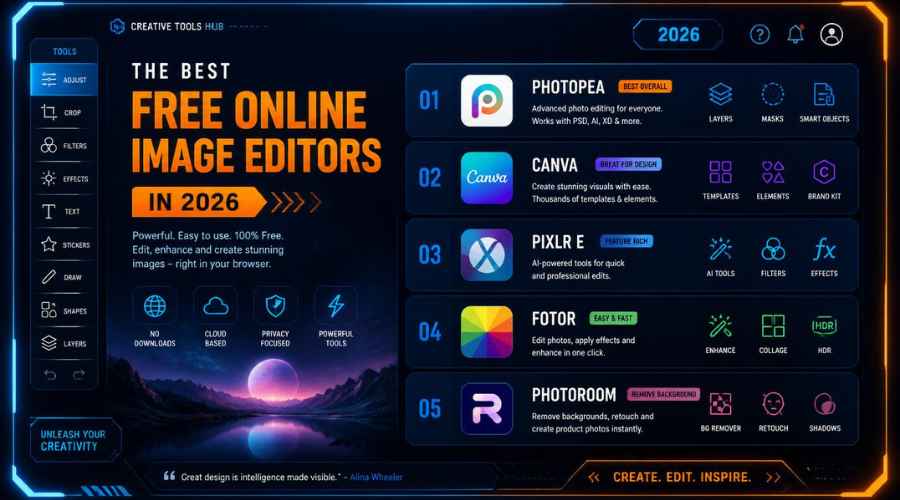
Use this as a placeholder preview until you add your final comparison image.
Introduction
Finding the best free online image editor in 2026 can be confusing. There are so many tools now. Some are made for quick photo edits, some are better for social media graphics, some feel like Canva alternatives, and some are closer to Photoshop in the browser.
That is why I wanted to put this guide together. I built Canvix as a lightweight online image editor for people who want to create designs, edit images, use templates, add text, work with layers, use AI tools and export clean graphics without installing anything.
But this is not just a post saying “use my tool.” I want this to be genuinely useful. So in this guide, I will compare Canvix with other popular free online image editors including Canva, Photopea, Pixlr, Adobe Express, Fotor, VistaCreate and BeFunky.
If you are looking for a free image editor online, a Canva alternative, a browser-based photo editor or a simple tool for making social posts, thumbnails, banners, flyers and product images, this guide should help you choose the right one.
Quick Summary: Best Free Online Image Editors in 2026
Here is the quick version if you do not want to read the full comparison:
- Canvix: best for lightweight online design, templates, layers, AI tools, smart canvas editing and fast exports.
- Canva: best for huge template libraries, social media graphics, brand kits and team design work.
- Photopea: best for Photoshop-style editing directly in the browser.
- Pixlr: best for quick photo editing, filters, overlays and AI-powered edits.
- Adobe Express: best for quick designs connected to the Adobe ecosystem.
- Fotor: best for simple photo enhancement, portraits, AI edits and product-style images.
- VistaCreate: best for marketing templates, small business graphics and social media content.
- BeFunky: best for fun photo effects, collages, batch editing and casual creative projects.
The truth is that there is no single perfect editor for everyone. The best tool depends on what you are trying to create.
If you want a lightweight browser-based editor for everyday design work, you can try Canvix free and start editing online with no install needed.
What Makes a Good Online Image Editor?
Before comparing the tools, it helps to understand what actually matters. A good online image editor should be easy enough for beginners, but powerful enough to create something useful.
Here are the main things I look for:
- Ease of use: can a beginner understand it without watching lots of tutorials?
- Speed: does the editor load quickly and feel smooth in the browser?
- Templates: can you start from a ready-made design instead of a blank canvas?
- Layers: can you move, arrange and edit objects properly?
- AI tools: can it help with image generation, background editing, object editing or cleanup?
- Export options: can you download your design as PNG, JPG, WebP or PDF?
- Free plan value: can you actually do something useful without paying straight away?
Some editors are better for photo editing. Some are better for graphic design. Some are better for quick social media content. The best choice depends on your workflow.
Comparison Table: Best Free Online Image Editors
| Tool | Best For | Main Strength | Good For |
|---|---|---|---|
| Canvix | Lightweight online design and image editing | Templates, layers, AI tools, stock images, smart canvas tools and fast exports | Creators, small businesses, marketers, beginners |
| Canva | Template-based design | Huge template library and easy drag-and-drop editing | Social media creators, brands, teams, businesses |
| Photopea | Advanced browser editing | Photoshop-style editing tools online | Designers, photo editors, PSD users |
| Pixlr | Quick photo editing | Filters, overlays, AI tools and fast image adjustments | Casual editors, social media users, beginners |
| Adobe Express | Quick creative content | Adobe templates, design tools and AI features | Adobe users, marketers, small businesses |
| Fotor | Photo enhancement and AI editing | Simple photo improvement, portraits and product-style visuals | Ecommerce sellers, portrait editors, casual users |
| VistaCreate | Marketing and social media templates | Business-friendly templates and promotional layouts | Small businesses, freelancers, marketers |
| BeFunky | Photo effects and collages | Fun effects, batch editing, collage maker and simple edits | Bloggers, casual creators, personal projects |
1. Canvix
Canvix is a lightweight online image editor built for people who want to create and edit designs directly in the browser. You do not need to install software, and you do not need advanced design experience to get started.
With Canvix, you can create social media graphics, thumbnails, banners, flyers, posters, product images and other visual content. You can work with templates, text, vector shapes, layers, stock images, PNG elements, AI tools and different export formats.
Placeholder image: replace this with a real screenshot of the Canvix editor.
What Canvix Does Well
- Online editing with no software install
- Templates for thumbnails, posts, banners, posters, flyers and more
- Layer-based editing for text, images, shapes and elements
- AI tools for faster creative workflows
- Pixabay stock image support
- PNG graphics, vector shapes and design elements
- Export options including PNG, JPG, WebP and PDF
- Smart canvas tools such as resizing and auto-fitting the canvas around objects
One feature I personally think is very useful is the ability to auto-fit the canvas around objects. If you have ever created a design and ended up with too much empty space around it, you will know how annoying that can be. A smart fit tool can save time and make your final export cleaner.
Who Should Use Canvix?
Canvix is a good choice if you want a simple but flexible online editor for everyday design work. It is especially useful for creators, small businesses, marketers, bloggers, ecommerce sellers and beginners who want to make graphics quickly.
It may not be the right choice if you need a massive enterprise design platform or very advanced Photoshop-style image manipulation. But if you want a fast online editor with templates, layers, AI tools and export options, Canvix is worth trying.
Best for: social media posts, thumbnails, banners, flyers, posters, product graphics, AI image edits and quick template-based designs.
Try it: open Canvix and start editing online.
2. Canva
Canva is one of the most popular online design tools in the world. It is known for its huge template library, simple drag-and-drop editing and wide range of design categories.
If you want to make social media posts, presentations, flyers, logos, invitations, business graphics or marketing content, Canva probably has a template for it.
What Canva Does Well
- Huge library of templates
- Beginner-friendly drag-and-drop editor
- Good for brand kits and team design workflows
- Strong social media and marketing design tools
- Useful for presentations, videos, print designs and more
Canva is a great choice if you want lots of ready-made templates and a polished design experience. It is especially useful for teams, brands and people who create content regularly.
The downside is that Canva can feel a bit heavy if all you want is a fast, lightweight edit. Some useful assets and features may also require a paid plan.
Best for: templates, social media graphics, presentations, brand kits and team design.
3. Photopea
Photopea is one of the strongest browser-based editors for advanced image editing. It feels more like Photoshop than most online image editors, which makes it powerful but also a bit more technical.
If you are already familiar with layers, selections, masks, PSD files and detailed photo editing tools, Photopea can be very useful.
What Photopea Does Well
- Photoshop-style editing in the browser
- Advanced layer controls
- Support for professional-style editing workflows
- Useful for PSD files and detailed image manipulation
Photopea is probably not the easiest tool for complete beginners, but it is impressive if you need serious editing control without installing desktop software.
Best for: designers, photo editors, PSD users and advanced browser-based editing.
4. Pixlr
Pixlr is a popular online photo editor that is good for quick image improvements, filters, overlays, background edits and AI-powered tools.
It is a nice option when your main goal is to edit or improve a photo rather than build a full graphic design from a template.
What Pixlr Does Well
- Quick browser-based photo editing
- AI tools for common image editing tasks
- Filters, effects and overlays
- Good for casual edits and social media images
Pixlr is useful for people who want to upload a photo, make edits quickly and download the result. It is not always as template-focused as Canva-style design tools, but it is strong for image editing.
Best for: photo edits, filters, effects, AI tools and casual image improvements.
5. Adobe Express
Adobe Express is Adobe’s simple online design tool for creating social posts, videos, flyers, images, banners and other quick content.
It is a good option if you already like Adobe products but want something easier and faster than professional apps like Photoshop or Illustrator.
What Adobe Express Does Well
- Quick design creation
- Templates for social media and marketing
- Adobe-style creative tools
- AI features powered by Adobe’s ecosystem
- Useful for brands, small businesses and creators
Adobe Express is a strong all-rounder. It is especially good if you already use Adobe tools or want a design editor backed by a well-known creative platform.
Best for: Adobe users, quick designs, social posts, flyers and simple branded content.
6. Fotor
Fotor is a beginner-friendly editor focused on photo enhancement, AI editing, portraits and simple design tasks.
If your main goal is to make a photo look better, clean up an image or create a product-style visual, Fotor is a useful option.
What Fotor Does Well
- Simple photo editing
- AI photo enhancement
- Portrait and beauty-style edits
- Product image improvements
- Beginner-friendly interface
Fotor is best when the photo itself is the main focus. If you need template-based social graphics or full design layouts, you may prefer Canvix, Canva, VistaCreate or Adobe Express.
Best for: photo enhancement, portraits, ecommerce images and AI-assisted edits.
7. VistaCreate
VistaCreate is another template-based design tool that works well for marketing graphics, social media posts, flyers, ads and small business visuals.
It is similar in spirit to Canva because it helps users start from templates instead of building everything from scratch.
What VistaCreate Does Well
- Marketing templates
- Social media graphics
- Business visuals
- Flyers, posters, banners and ads
- Simple editing for non-designers
VistaCreate is a good option for freelancers, small businesses and marketers who need quick promotional graphics.
Best for: marketing designs, social media posts, business graphics and ready-made templates.
8. BeFunky
BeFunky is a simple and fun online editor for photo effects, collages, batch editing and casual creative projects.
It is not trying to be the most advanced design platform. Instead, it focuses on making photo editing and creative effects easy for normal users.
What BeFunky Does Well
- Photo effects
- Collage maker
- Batch editing
- Simple background tools
- Beginner-friendly photo editing
BeFunky is a good choice if you want to make fun edits, collages or quick photo improvements without dealing with a complex interface.
Best for: collages, fun edits, bloggers, personal projects and casual photo effects.
Which Online Image Editor Should You Choose?
Here is the easiest way to decide:
- Choose Canvix if you want a lightweight online editor with templates, layers, AI tools, stock images, smart canvas editing and fast exports.
- Choose Canva if you want the biggest template ecosystem and a polished design platform.
- Choose Photopea if you want advanced Photoshop-style editing in your browser.
- Choose Pixlr if you want quick photo editing, filters, effects and AI image tools.
- Choose Adobe Express if you already like Adobe tools and want quick design creation.
- Choose Fotor if you want simple photo enhancement and AI-powered image improvements.
- Choose VistaCreate if you want marketing templates and small business graphics.
- Choose BeFunky if you want fun effects, collages and casual photo edits.
Best Online Image Editor by Use Case
| Use Case | Best Tools | Why |
|---|---|---|
| YouTube thumbnails | Canvix, Canva, Adobe Express | Good for templates, text, images, layers and exports |
| Instagram posts | Canvix, Canva, VistaCreate | Good for social templates and quick design layouts |
| Advanced photo editing | Photopea, Pixlr | More detailed image editing controls |
| AI image editing | Canvix, Pixlr, Adobe Express, Fotor | Useful AI features for faster editing workflows |
| Small business graphics | Canvix, Canva, VistaCreate, Adobe Express | Good for flyers, banners, product images and promotional designs |
| Fun photo effects | BeFunky, Pixlr, Fotor | Good for filters, effects, collages and casual edits |
Why Lightweight Online Editors Matter
Online design tools are getting more powerful every year. But sometimes, more features also means more complexity.
A lot of people do not want to learn a full professional design program. They just want to open an editor, upload an image, add text, resize the design, adjust the layout, export it and move on.
That is one of the reasons I built Canvix. I wanted something that felt fast and practical. Something useful for everyday design tasks like YouTube thumbnails, social media posts, banners, flyers, posters, product graphics and AI image edits.
For small businesses, creators, bloggers, marketers and online sellers, speed matters. You need a tool that helps you create without slowing you down.
Common Mistakes When Choosing an Online Image Editor
- Choosing based only on popularity: the most popular tool is not always the best fit for your workflow.
- Ignoring export options: make sure the editor supports the file formats you actually need.
- Using an advanced editor for simple jobs: Photoshop-style tools are powerful, but can be overkill for quick social graphics.
- Using a basic editor for advanced work: if you need detailed photo manipulation, choose a tool with proper editing controls.
- Forgetting about speed: a lightweight editor can save a lot of time if you create content often.
My Final Recommendation
If you want the most famous template platform, Canva is a strong choice. If you want advanced browser-based editing, Photopea is impressive. If you want quick photo edits, Pixlr and Fotor are useful. If you like Adobe tools, Adobe Express makes sense. If you want marketing templates, VistaCreate is worth checking out. If you want fun effects and collages, BeFunky is a good option.
But if you want a lightweight online image editor that helps you create designs quickly with templates, layers, stock images, AI tools, smart canvas features and useful export formats, then I would recommend trying Canvix.
It runs in your browser, it is free to start, and you do not need to install anything.
Ready to create your next design? Try Canvix free — no install needed.
FAQs About Free Online Image Editors
What is the best free online image editor in 2026?
The best free online image editor depends on what you need. Canvix is great for lightweight design and template editing. Canva is strong for templates and teams. Photopea is best for advanced Photoshop-style editing. Pixlr, Adobe Express, Fotor, VistaCreate and BeFunky are also good options for different use cases.
Is Canvix a Canva alternative?
Yes, Canvix can be used as a lightweight Canva alternative for creating social posts, thumbnails, flyers, banners, posters, product graphics and other online designs. It includes templates, layers, AI tools, stock images, elements and export options.
What is the best free online editor for YouTube thumbnails?
Canvix, Canva and Adobe Express are good options for YouTube thumbnails because they make it easy to add images, bold text, shapes, layers and export the final thumbnail.
What is the best online editor for advanced photo editing?
Photopea is one of the best choices for advanced browser-based photo editing because it has a Photoshop-style interface and more detailed editing controls.
Can I edit images online without installing software?
Yes. Tools like Canvix, Canva, Photopea, Pixlr, Adobe Express, Fotor, VistaCreate and BeFunky all work in the browser, so you can edit images online without installing software.
Can I export designs as PNG, JPG, WebP or PDF?
Export options depend on the editor. Canvix supports useful export formats including PNG, JPG, WebP and PDF, which makes it practical for social media images, web graphics, posters, flyers and printable designs.
Related Design Guides
If you are comparing image editors, these guides may also help:
- Canva Alternative: Best Free Tools for Creating Designs Online
- How to Resize a Design Without Ruining the Layout
- How to Auto Fit a Canvas Around Objects Online
- How to Create Social Media Posts Online for Free
- How to Make a YouTube Thumbnail Online
- PNG vs JPG vs WebP: Which Format Should You Use?
Conclusion
There are many good free online image editors in 2026, and the right one depends on what you want to create.
If you want deep editing control, Photopea is powerful. If you want a huge template library, Canva is hard to ignore. If you want quick photo improvements, Pixlr and Fotor are useful. If you want Adobe-style design tools, Adobe Express is a good choice. If you want marketing templates, VistaCreate works well. If you want fun creative effects, BeFunky is easy to use.
And if you want a lightweight online image editor for templates, layers, AI tools, stock images, smart canvas editing and fast exports, Canvix is built for exactly that.
Try it for yourself: open Canvix and start creating online.
